
Batch for Google Photos
Bulk edit, delete, and download inside Google Photos. Enhance, Filter, Crop, Rotate, Add Description, Revert, apply Custom Presets, convert live photos to stills, delete your entire library, and download your entire library. Everything runs inside Google Photos. Nothing uploaded.
About
A Chrome extension that closes a long-standing feature gap in Google Photos.
Batch for Google Photos is a Chrome extension that closes a long-standing feature gap in Google Photos: batch editing. Users select photos, click Batch, and choose an action. Batch then automates Google Photos' own editor across the full selection.
Google Photos has 1.5 billion monthly active users. 210 million of them edit photos every month, but repetitive edits still happen one photo at a time.
Photos never leave Google Photos. Batch has no backend and no second library to manage. It is a layer of automation on top of Google Photos itself.
Enhance
Run Google Photos' Auto Enhance across every photo in a selection.
Filter
Apply any of 19 filters consistently across a full batch.
Crop
Crop to any of 9 ratios, including square, 9:16, and 3:2.
Rotate
Rotate or flip sideways imports into an upright album.
Add Description
Add searchable descriptions across a whole batch.
Revert
ProUse Google Photos' own Revert to Original across selected photos.
Custom Presets
Tune one photo in Google Photos, save it as a preset, and apply the same look across a batch.
Convert to Stills
Convert live and motion photos to stills in bulk and reclaim storage. In early testing, many photos shrink by roughly 70 to 80 percent, though savings vary.
Delete Library
Move your entire Google Photos library to Trash in one run. Never permanent: items stay recoverable in Trash for 30 days, and Batch never empties the Trash.
Download Library
Download your entire Google Photos library in full quality, in one run, using Google Photos' own download.
"I came back from a trip with 240 photos to send to the grandparents, clicking enhance, save, enhance, save like a robot. That's when I started building this."
Batch is a side project by Yair Levin who looked for a solution for years and kept finding the same unanswered requests across Google Photos forums.
The product gap
Bulk share, archive, and delete have shipped for years. Bulk edit has not.
One Google Help Community thread asking for bulk editing was opened on February 24, 2019. It has 347 "I have the same question" votes and was locked by Google with no resolution. Similar requests have appeared across Reddit, Google Help Community, and other user forums for years.
Batch closes that gap by automating Google Photos' own editor. It is the first and only Chrome extension built specifically to bulk edit, delete, and download photos inside Google Photos: Enhance, Filter, Crop, Rotate, Add Description, Revert, Custom Presets, Convert to Stills, Delete Library, and Download Library.
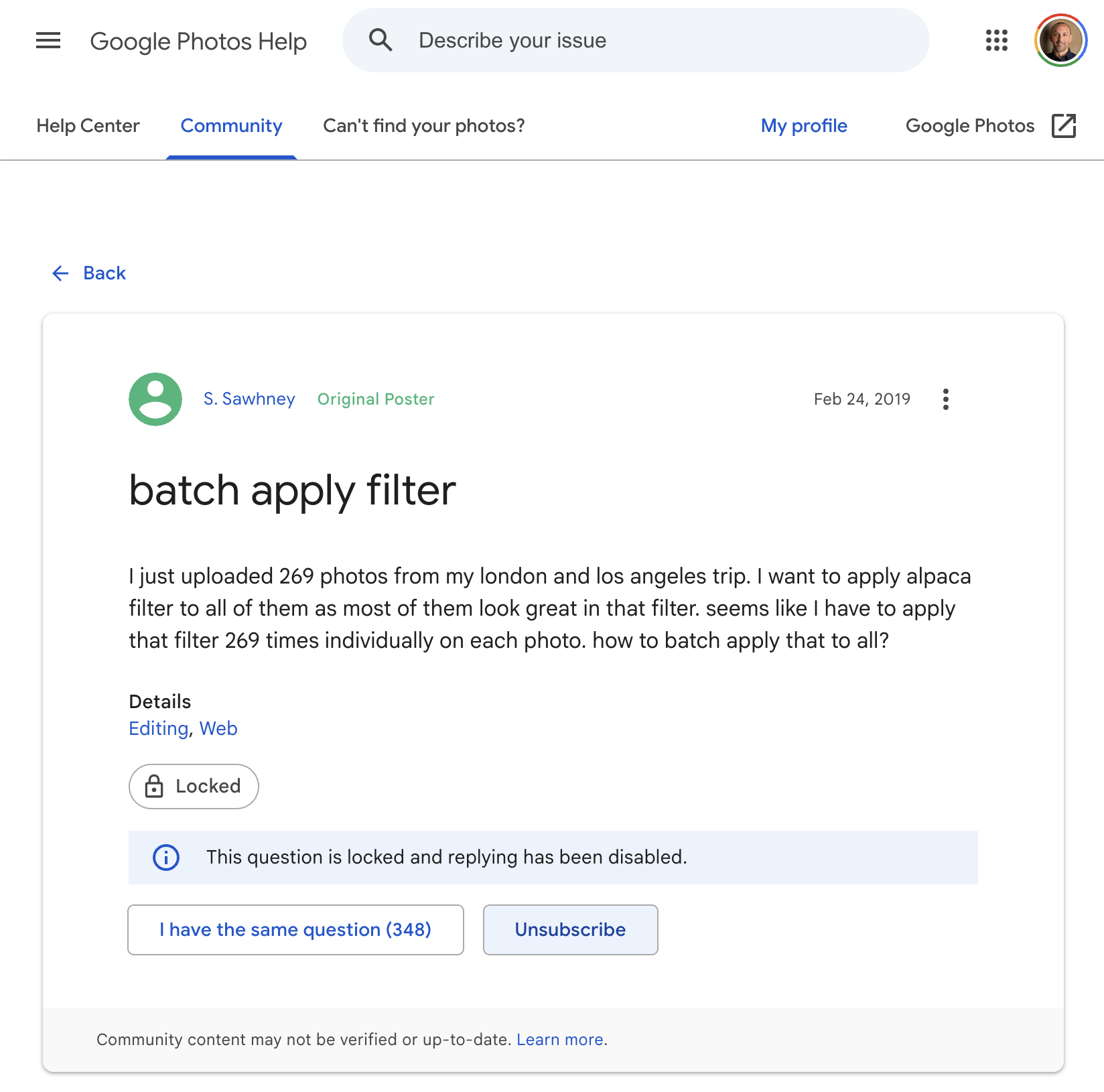
The gap is horizontal
Batch is positioned as a baseline-setter, not a finisher. The same workflow serves a wide range of users.
Family trip
A parent comes back with 240 photos to send to grandparents.
Wedding guest
120 phone photos to share before they look like phone photos.
Field-trip parent
80 photos to send to other families that night.
Wedding photographer
A 2,000-photo album alongside 50 hand-edited highlights, all reading as one wedding.
Airbnb host
50 listing photos shot at different times of day, reading as one continuous space.
Tour operator
300 trip photos sent to every traveler.
The common thread is not photo volume. It is what the album represents: a relationship across distance, a couple's biggest day, a parent who showed up, a property's earning potential, or a traveler's experience.
Assets and key facts
Logo, product screenshots, the product demo, and the facts you need.
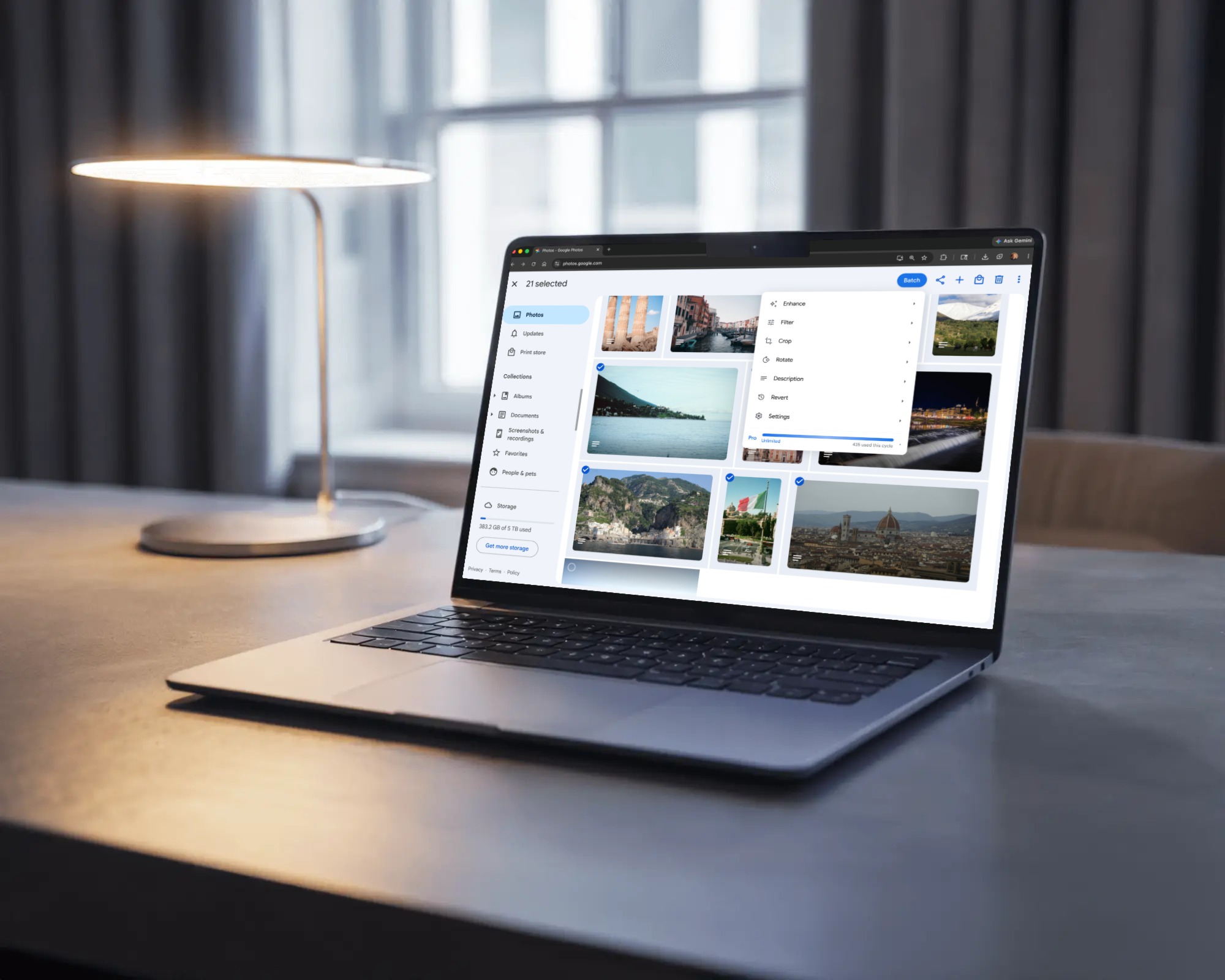
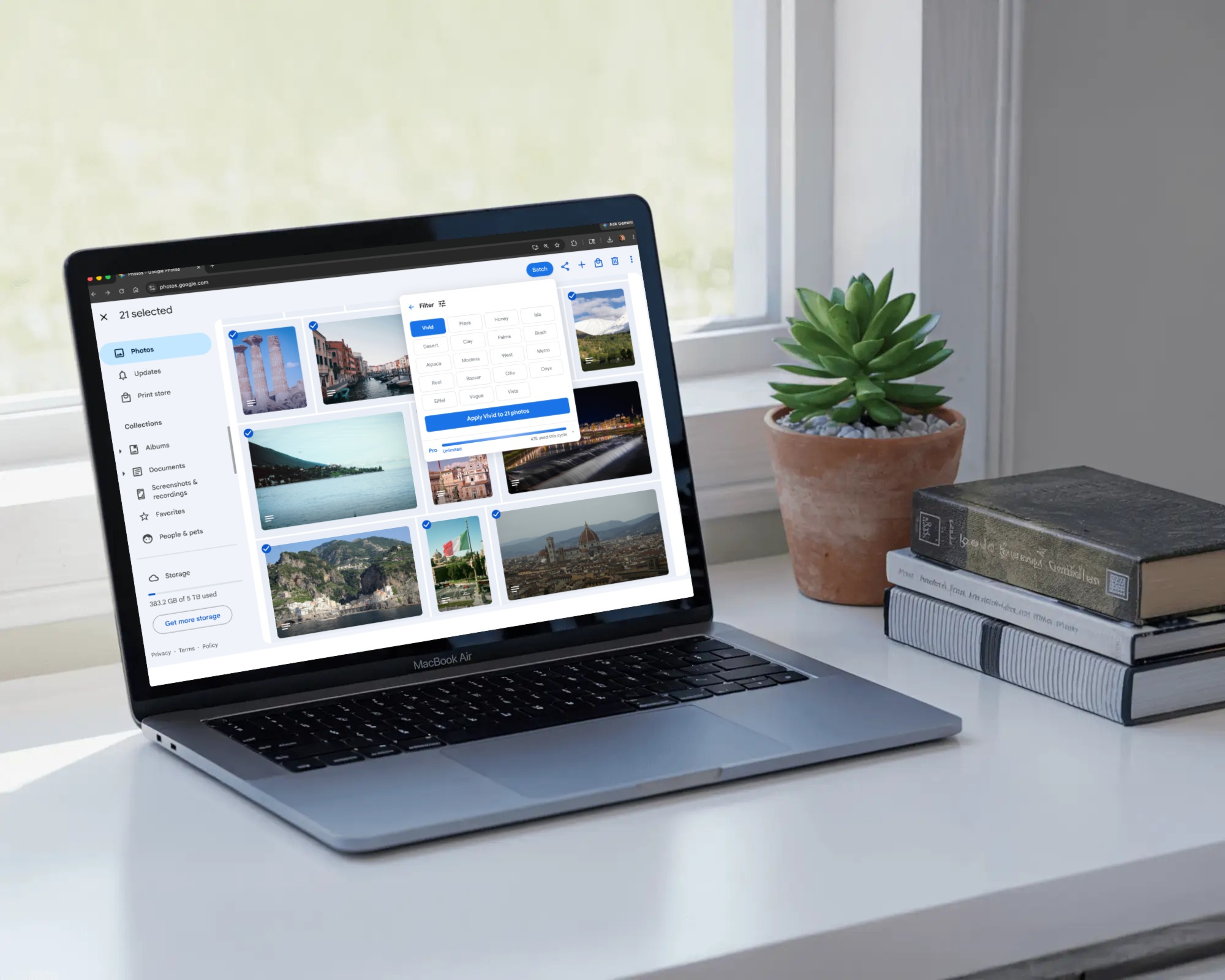


- Product
- Batch for Google Photos
- Category
- Chrome extension
- Platform
- Chrome desktop
- Works with
- Google Photos
- Actions
- Enhance, Filter, Crop, Rotate, Add Description, Revert, Custom Presets, Convert to Stills, Delete Library, Download Library
- Pricing
- Free, Plus, Pro
- Free
- 25 photos per month
- Plus
- $6.99 per month or $55 per year for 500 photos per month, plus Delete Library, Download Library, and library-wide Convert
- Pro
- $24.99 per month or $199 per year for unlimited use plus Revert to Original
- Privacy
- Photos stay in Google Photos. Nothing uploaded.
- Founder
- Yair Levin
- Website
- https://batchphotoedit.com
- Chrome Web Store
- https://chromewebstore.google.com/detail/fnhlolpmhhjdjdlialajdlmlfblchkkh
- Demo video
- https://www.youtube.com/watch?v=SL2QxnqNGwQ
- Press contact
- press@batchphotoedit.com
Need something else? press@batchphotoedit.com